
.svg)
Send ultrasound images and clips directly from your ultrasound machine to patients phones.
TRUSTED BY PARTNERS & FAMILIES EVERYWHERE









The only HIPAA-compliant, zero-cost tool that lets healthcare providers instantly share ultrasound images and videos with patients. No equipment changes, no workflow disruptions.

Built with encryption and full HIPAA compliance to ensure patient data is always protected and private.

Zero cost to implement for practices, and free for families to receive, download, and share their images.

Integrates seamlessly with your existing ultrasound machines. No new hardware required. Up and running in minutes.
Save every moment. Share it in seconds.

1
Create an account, install Sona on your ultrasound machine, and add it as a DICOM destination.

Setup in under 10 minutes
Compatible with all DICOM-enabled ultrasound machines
Connect as many ultrasound machines as you want
2
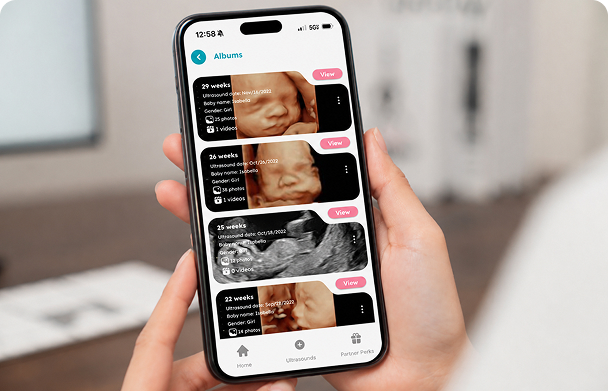
Enter the patients cell phone number into a designated field in the machine and select which images and clips to send.

Send during or after the scan
Choose only the images and videos you want to share
No extra steps or hardware required
"I've seen patients switch doctors for Sona.”
"So much better than print outs.”
"Since bringing Sona into our practice, the response from patients has been incredible. They love having their ultrasound images instantly on their phones, and we've seen a noticeable boost in satisfaction and positive feedback. It's such a simple change that's made a huge impact on the patient experience."
Enjoy hand-picked offers from leading brands, available only to Premium members.

Yes, Sona is completely free for ultrasound providers. We believe in enhancing patient care and making it easier for parents to access their ultrasound images, so we don't charge providers any fee to use our service.
Sona is completely free for ultrasound providers, and families always get free access to their ultrasound images and clips. We generate revenue through optional premium upgrades, which give families access to additional features and exclusive perks, as well as through partnerships with trusted pregnancy and parenting brands that provide discounts and added value to our users.
Sona doesn’t require any additional hardware or complex integrations. The only setup step is installing the Sona Agent on one computer in your ultrasound office, which allows images to be sent securely to patients. Once installed, the system runs in the background and doesn’t interrupt your workflow.
Sona takes patient privacy seriously. We comply with HIPAA standards, use end-to-end encryption to protect data from the ultrasound machine to the patient’s phone, and are SOC 2 certified. This means providers and families can trust their information is secure.
As a provider, you have full control over what ultrasound images and clips to share with Sona. You can choose to share as many or as few images as you see fit for each individual patient. Some user favorites include the baby's profile, hands and feet, spine, heartbeat, and any movement that can be captured.
Sona is designed to be easy and quick to use, adding minimal extra time to your appointments. It's as simple as entering the patient's mobile number into the ultrasound machine and using the designated print button to send images and clips during the scan.
During account setup, you can choose the ultrasound release timing that works best for your practice. Most offices prefer a 1-hour hold time before images are available to patients, but you can adjust this to be shorter or longer depending on your preferences.
Yes, you can make changes to the images or clips you send. After the ultrasound exam is finished, log into your dashboard and within the “Ultrasounds” page, you can find your patient's exam and delete any images & clips sent by accident.
Yes! Once you’re done scanning your patient, you can find the exam in your machine's archive, select what you would like to be sent and select Sona as the destination to be sent to.
Our team is always here to help. You can reach out to us at support@sonagram.com with any questions or concerns, and we'll be happy to assist you.
Connecting practices and patients through secure, instant ultrasound delivery.


